Skip to content
← All projects

Case study

Bahay Liwanag — engineering a booking operation on GoHighLevel

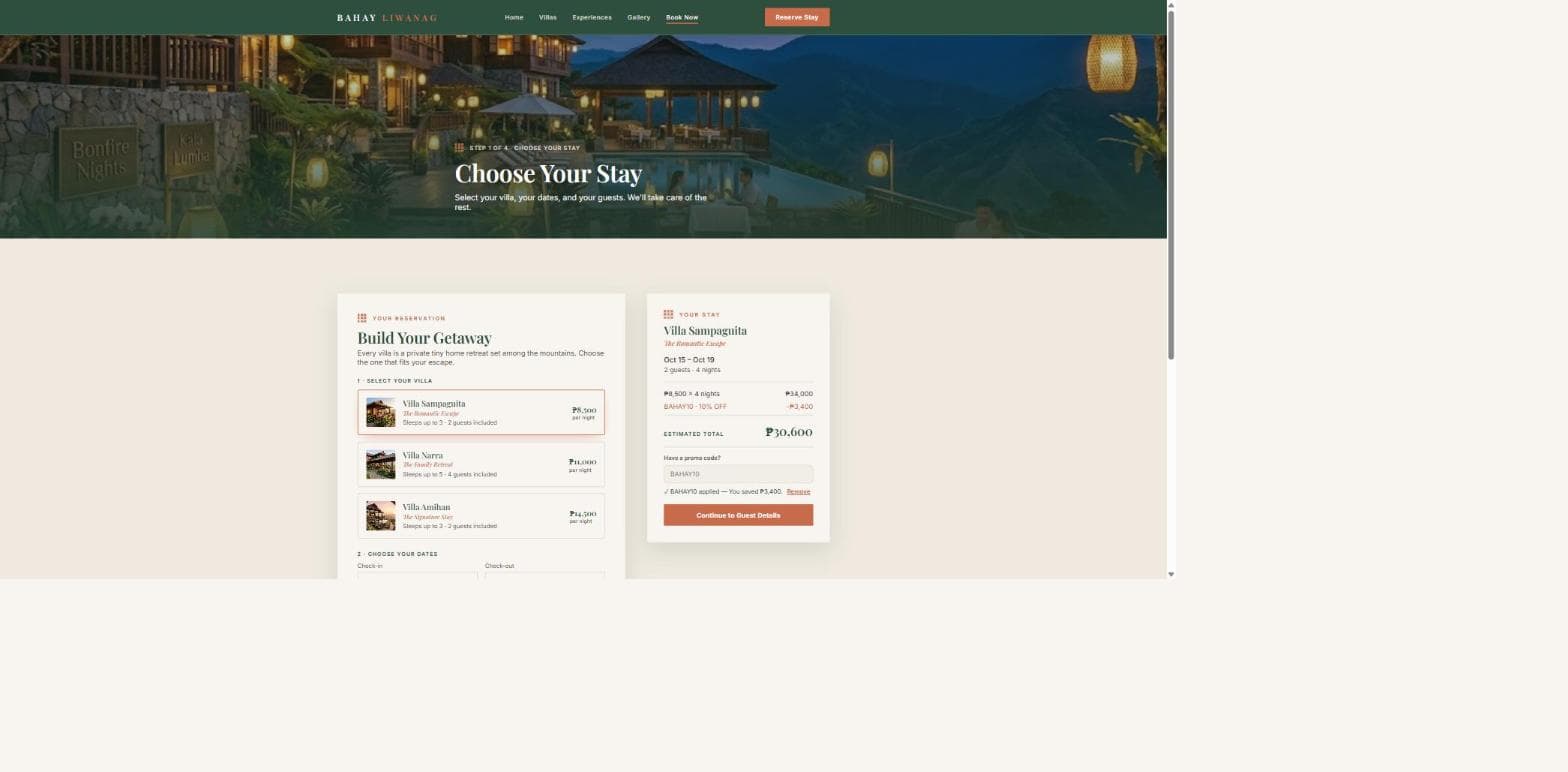
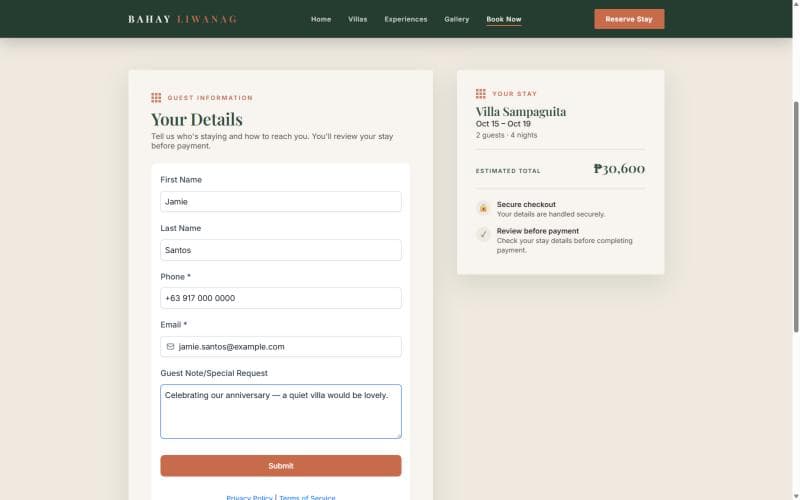
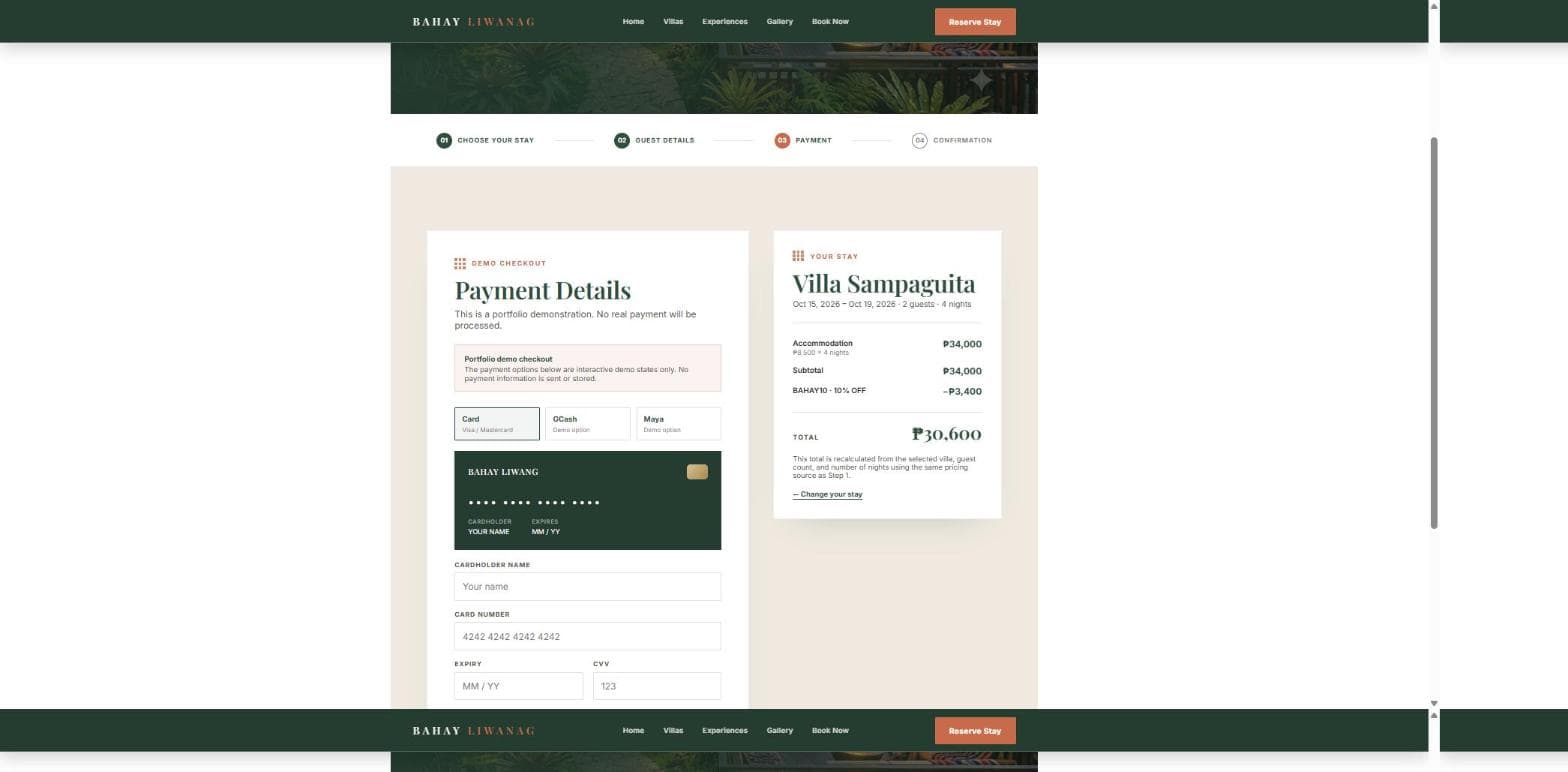
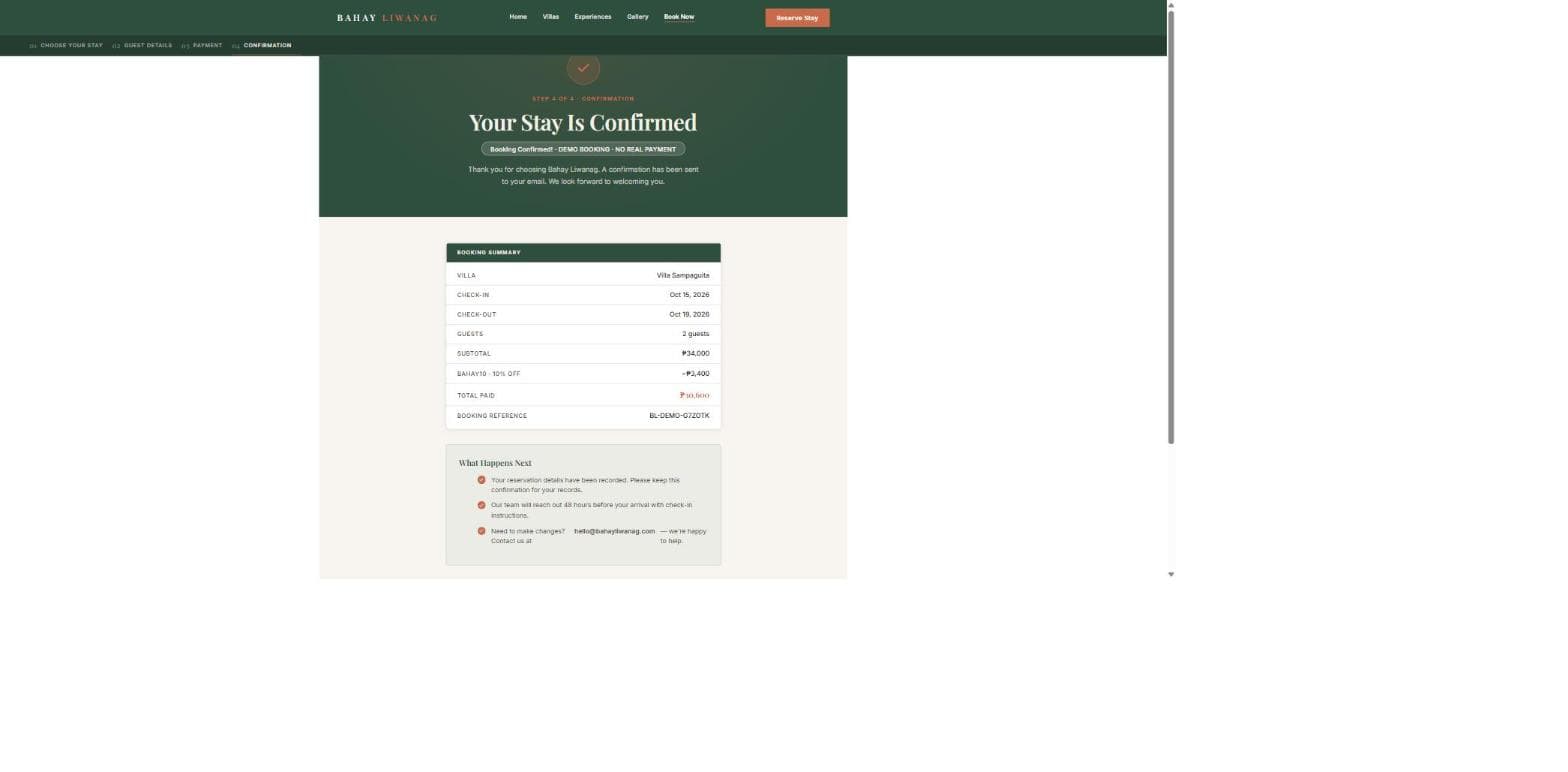
A boutique three-villa resort with a single job to be done: turn a scattered, conversational booking process into one structured intake path — website, CRM, and automations built as one system. The foundation narrative explains the business need, the system design, and the technical choices behind it.

Role
Systems design & implementation, end to end
Stack
GoHighLevel · Make · Airtable
Status
Live — booking flow operational
funnel pages
6
form fields
8
custom fields
5
villas
3
required fields
2
on-site payments
0

01

Executive Summary

Bahay Liwanag is a built-for-purpose booking operation, not a generic brochure site. The project was designed around one hard requirement: turn a fragmented guest inquiry flow into a disciplined intake system that captures information, creates a clear next step, and keeps the human review decision in the right place.

The live funnel, booking form, and CRM structure all work together to reduce manual re-entry and keep the guest experience honest. The key design decision is simple: gather the inquiry, acknowledge it quickly, record it consistently, and leave the availability review to a human without creating unnecessary friction.

02

Business Problem

Small hospitality operations usually fail not because the business lacks demand, but because the booking process is scattered across forms, messages, calls, and spreadsheets. A guest inquiry arrives in one place, details get copied elsewhere, and follow-up depends on someone remembering who was contacted, what dates were discussed, and what the next step was.

This is especially problematic for a boutique property with multiple room types and a human-led availability review. The project needed to create one intake path that captured the right data once, kept it visible to the team, and preserved the hospitality touch without letting the coordination work consume the whole operation.

03

Goals

The system was designed to meet a few clear business goals:

  • Create a single booking entry point that feels simple for the guest and structured for the business.
  • Store and surface the right data in the CRM without requiring manual re-entry.
  • Acknowledge the inquiry immediately and keep the human review step clear and intentional.
  • Keep the availability check human-led while automating the repetitive operational work around it.

04

My Responsibilities

The work covered the full decision path rather than a single surface area. My responsibilities included:

  • Defining the guest journey and the operational flow behind it.
  • Designing the booking funnel so each page had a clear purpose and a single destination.
  • Structuring the GoHighLevel form and custom field schema to match the actual business use case.
  • Mapping the handoff between the booking intake and the operational layer, including how the response is logged and reviewed.
  • Choosing the stack and tooling based on the operational constraints rather than a generic “automation” preference.

05

Discovery & Planning

The discovery phase focused on the booking lifecycle, not the visual polish. The work started by tracing how a guest inquiry actually moved from first click to final confirmation and where information was lost or duplicated. That review surfaced three core constraints: the process needed to be easy for guests, easy for the operation to manage, and honest about where a human decision was required.

From there, the plan centered on one intake path, one CRM record, and a clear distinction between automation and human review. The system was designed around those responsibilities instead of around a more complex “everything is automated” model that would have been harder to trust and maintain.

This is the starting point for the system design: the booking flow was mapped around real operational needs, not around an idealized guest experience that would later break under review.

Placeholder — screenshot pending: Discovery workbook

Operational evidence: this location will hold the workshop notes, guest journey map, and booking flow diagram once the final evidence asset is captured.

06

System Architecture

The system architecture keeps the guest-facing experience simple while pushing the operational complexity behind the scenes. The design makes the booking funnel public, stores the lead in GoHighLevel, and then moves the inquiry into a workflow and logging layer that supports the human review stage.

This is the foundation that makes the rest of the operating model viable: the public experience is intentionally light, while the internal process is structured enough to keep the business coherent.

Guest

A visitor lands on the site and begins the booking intent

Booking Form

The guest submits structured enquiry details without a payment step

GoHighLevel

The record is captured in the CRM and stored in the right contact schema

Workflow

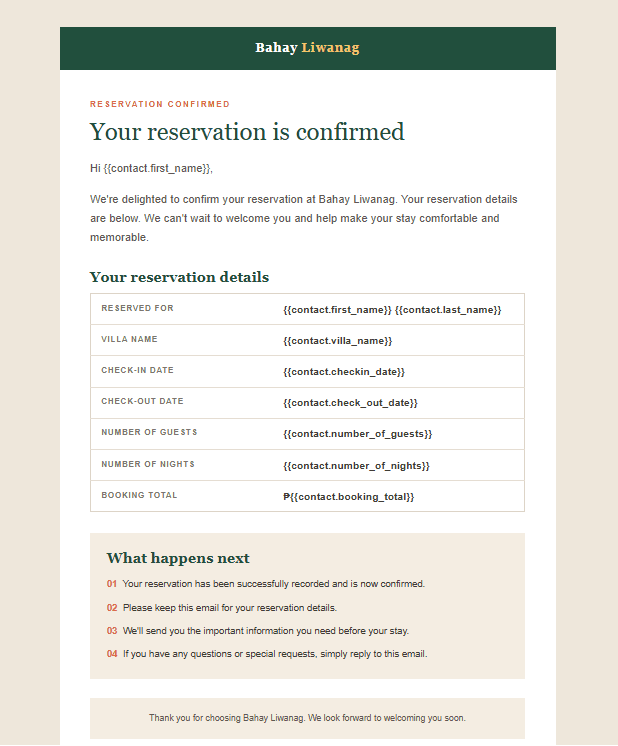
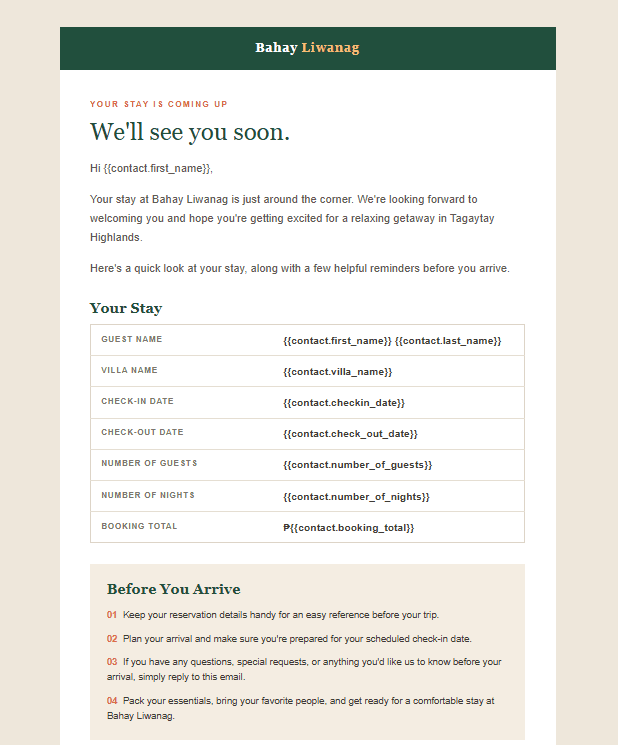
The inquiry is acknowledged and routed into the operational process

Airtable

The business keeps a working record for review and follow-up

Human Review

The team confirms availability and decides the next action

Booking Confirmation

The guest receives a clear follow-up and a confirmed next step

07

Technical Stack

The stack was chosen to solve a business problem, not to demonstrate tool breadth. Every tool had a clear operational role:

The architecture above is only useful if the tooling supports the same operating model. This stack was selected to keep the public funnel simple, the CRM structured, and the business review process usable.

GoHighLevel

This was the right foundation because it combined the guest-facing funnel, form capture, and CRM in one workspace. That reduced handoff complexity and made the booking flow easier to manage without introducing a separate custom app for a small operation.

Make

Make was chosen to move the lead out of the form and into the rest of the operational system without manual re-entry. It is a good match when the real goal is to create a fast, reliable handoff between a capture layer and the business workflow.

Airtable

Airtable was selected as the operational log because the team needs a readable, reviewable record rather than a buried CRM detail page. It gives the business a place to track, filter, and follow up on bookings in a way that is easier to scan than a contact record alone.

Editorial web pages

The public web pages are intentionally straightforward. They are designed to sell the experience, support the booking journey, and route traffic into one conversion path without overbuilding the front end. This keeps the front-end layer focused on clarity and conversion instead of becoming the business system itself.

Tool-selection rationale — why these tools were chosen
The design decision was to keep the system simple: one public intake layer, one CRM source of truth, one operational log, and a clearly defined human review step. Each tool does a specific job instead of trying to win the whole workflow. That keeps the system understandable, maintainable, and easier to trust.
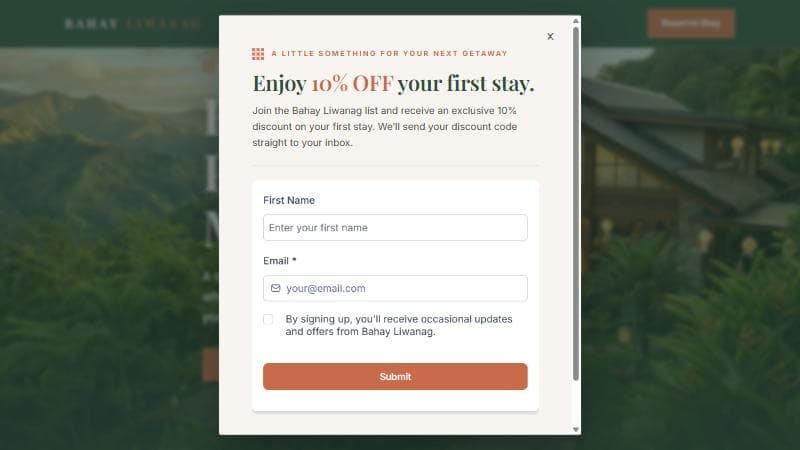
Placeholder: landing-page screenshot to be inserted for the technical stack and intake context
Placeholder asset: homepage screenshot to be inserted here once the final evidence capture is ready. This is a structural placeholder, not a fabricated business metric or mockup.

08

Workflow & Automation

The booking flow is intentionally simple for the guest and disciplined behind the scenes. The public intake captures the enquiry, the CRM stores the structured record, and the workflow handles acknowledgement and routing before a human checks availability and confirms the next step.

This is the same operating model introduced in the system architecture above, applied to the day-to-day booking process the business depends on.

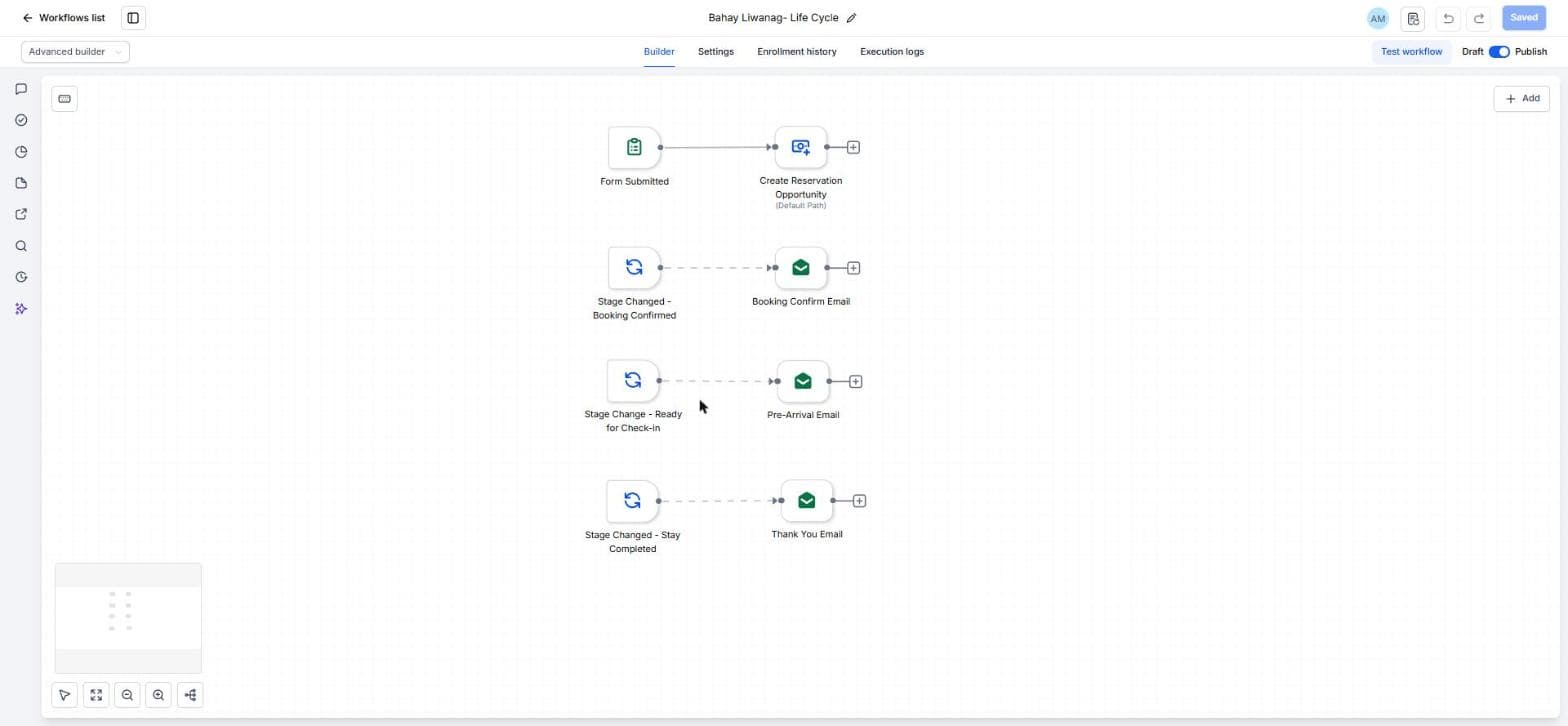
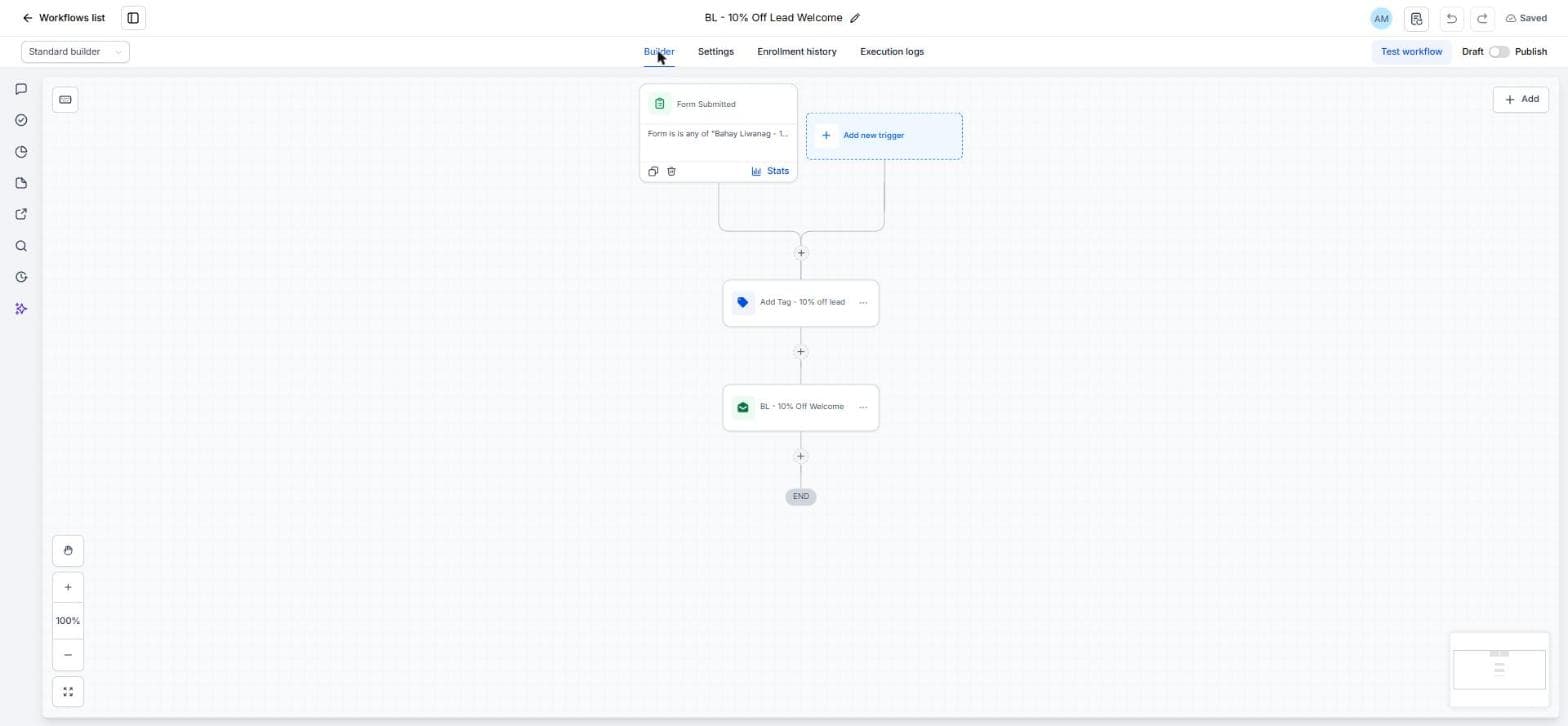
Placeholder — screenshot pending: GoHighLevel Workflow Canvas

Operational evidence: insert the workflow canvas once the final GHL evidence is captured. This slot will show the automation trigger, acknowledgement email, and internal notification flow.

Placeholder — screenshot pending: Make Scenario

Operational evidence: insert the Make scenario once the automation is captured. This slot will show the route from GoHighLevel into Airtable, calendar, and notification elements.

Placeholder — screenshot pending: Airtable Reservation Log

Operational evidence: insert the Airtable reservations table once the operational workspace is captured. This is the working log the team uses after the enquiry is submitted.

Placeholder — screenshot pending: Contact Record

Verified in live implementation: insert the contact record once the live CRM record is captured. This slot will show how the form fields land in the contact schema.

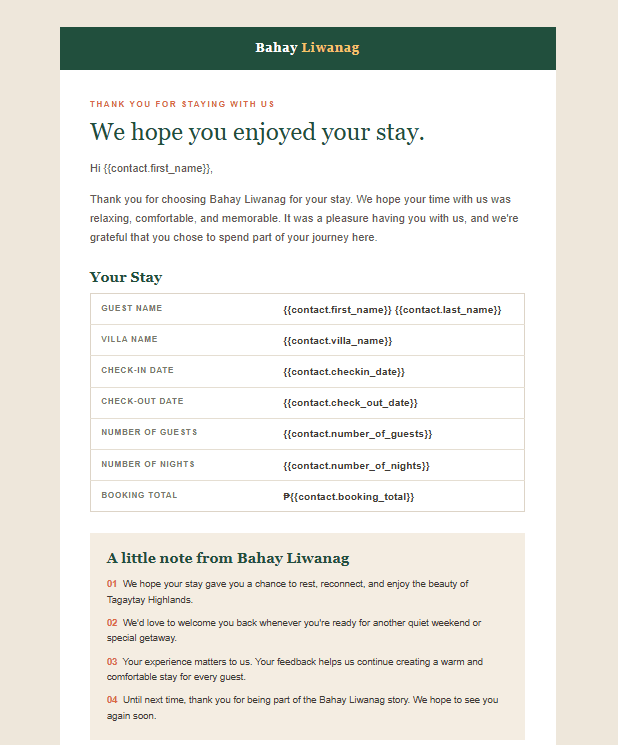
The automated pieces are the intake capture, acknowledgement, and movement of the enquiry into the operational log. The intentionally manual step is the availability review itself. That split is deliberate: it keeps the business process honest, prevents double-booking risk across multiple villas, and preserves the human judgement that boutique hospitality depends on.

09

Design Decisions

These are the most important business decisions that shaped the system. Each one reflects a trade-off between simplicity, guest experience, and operational control.

Human review before payment

Why: The guest should not be charged before availability is confirmed, especially when the property is managing multiple villas and limited dates.

Trade-off: This adds a manual step to the flow, but it protects the business from double-booking and keeps the transaction honest.

Structured custom fields instead of free-text submissions

Why: The business needs fields like check-in date, preferred villa, and guest count to make follow-up and review practical.

Trade-off: The form is a bit more structured than a chat-style inquiry, but the result is a cleaner dataset and a much easier handoff to the operational workflow.

Airtable as the operational workspace

Why: The team needed a readable log for statuses, follow-ups, and review rather than a single CRM record alone.

Trade-off: This creates another system in the process, but it gives operations a place to work quickly and scan data without digging through contact details.

GoHighLevel as the CRM and intake layer

Why: The public site, form capture, and CRM lived in the same platform, which reduced friction and simplified the system boundary.

Trade-off: It limits some flexibility compared with a fully custom app, but it fits the size and needs of the project without unnecessary complexity.

10

Challenges

The project faced a few practical constraints that shaped the design. These are not abstract problems; they are real product and operational trade-offs that had to be resolved in the booking model.

  • Operational complexity without overbuilding the platform. The business needed a transaction path that handled enquiries, timing, and review without creating a full custom application.
  • Human review required before final confirmation. Because the property manages limited villa inventory, an automated booking decision would create unnecessary risk and reduce trust in the process.
  • Limited surface area on the form. The guest-facing booking experience needed to be simple, and the public form reflects that by keeping the intake clear without forcing a full payment or trip-planning flow.
  • Need for a clean operational record. A CRM contact alone was not enough; the team needed a working reservations log where the enquiry could be followed and reviewed in context.
  • Platform constraints within GoHighLevel. The project had to work inside the constraints of the platform while still designing a defensible business process rather than a purely aesthetic funnel.

11

Solution

The implemented solution ties the business journey together in one sequence: the guest reaches the booking form, the enquiry is stored in the CRM, the workflow handles acknowledgement and routing, and the operational team reviews the request before confirming the booking.

This is the same booking model introduced earlier in the system architecture: the customer-facing path stays simple, while the operational layer remains structured and reviewable.

This addresses the original business problem by turning an unstructured, manual booking process into a predictable intake workflow. The result is a clearer guest experience, a better operational record, and a business process that respects the human decision point without making the team do unnecessary admin work.

12

Business Impact

The project improved the business by creating a more structured reservation process without turning the guest experience into a heavy operational interface. The core value was operational clarity: the intake path, CRM record, and follow-up workflow all align around the same booking decision.

Qualitatively, the system reduces manual duplication, makes the booking process easier to review, and gives the operation a clearer internal path from enquiry to confirmation. It also improves maintainability by separating the customer-facing experience from the internal process, and it makes the customer journey easier to follow because the next step is always explicit.

13

Lessons Learned

A few lessons were especially important on this project:

  • CRM structure matters. If the form fields are not aligned to the operating model, the business can end up with a clean website and a messy back end. The schema has to support the way the team actually reviews and responds to bookings.
  • Workflow design has to respect the business decision. Not everything should be automated. This project showed that the right automation is the repetitive administrative work around the enquiry, while the availability decision should remain human-led.
  • UX decisions shape operational success. A simple intake form is not just a frontend choice; it changes how reliable and useful the whole system becomes. Fewer obstacles in front of the guest means more consistent data behind the scenes.
  • Operational systems need different thinking from marketing websites. The real work was not just making the site look polished. It was designing a repeatable business flow that could support guest experience and internal clarity at the same time.
  • Trade-offs should be explicit. Choosing a platform-first system created simplicity in delivery, but it also created platform constraints. Being clear about those trade-offs is part of engineering maturity.

15

Future Improvements

The current system is intentionally focused on a clear intake path and human review flow. A few realistic improvements would strengthen the operation further, but they are not implied to exist yet.

Implemented

  • Single booking intake flow
  • Structured CRM field capture
  • Operational handoff into the review workflow
  • Human-led confirmation step

Planned

  • Calendar synchronization to keep reservation timing more visible
  • Availability management to support clearer booking decisions
  • Automated reminder workflow for follow-up or confirmation stages

Future possibilities

  • Reporting dashboard for reservation patterns and lead flow
  • Reservation analytics to support inventory decisions and staffing
  • Internal operations dashboard for team visibility across new enquiries and confirmed stays